
Record a form test once and replay it across browsers, devices and locations.
A free desktop recorder for your own forms. Scenarios run locally in the app with no sign-in, shared server or cloud account, and replay as a matrix of browsers, devices and, with your own proxy plan, checked locations.
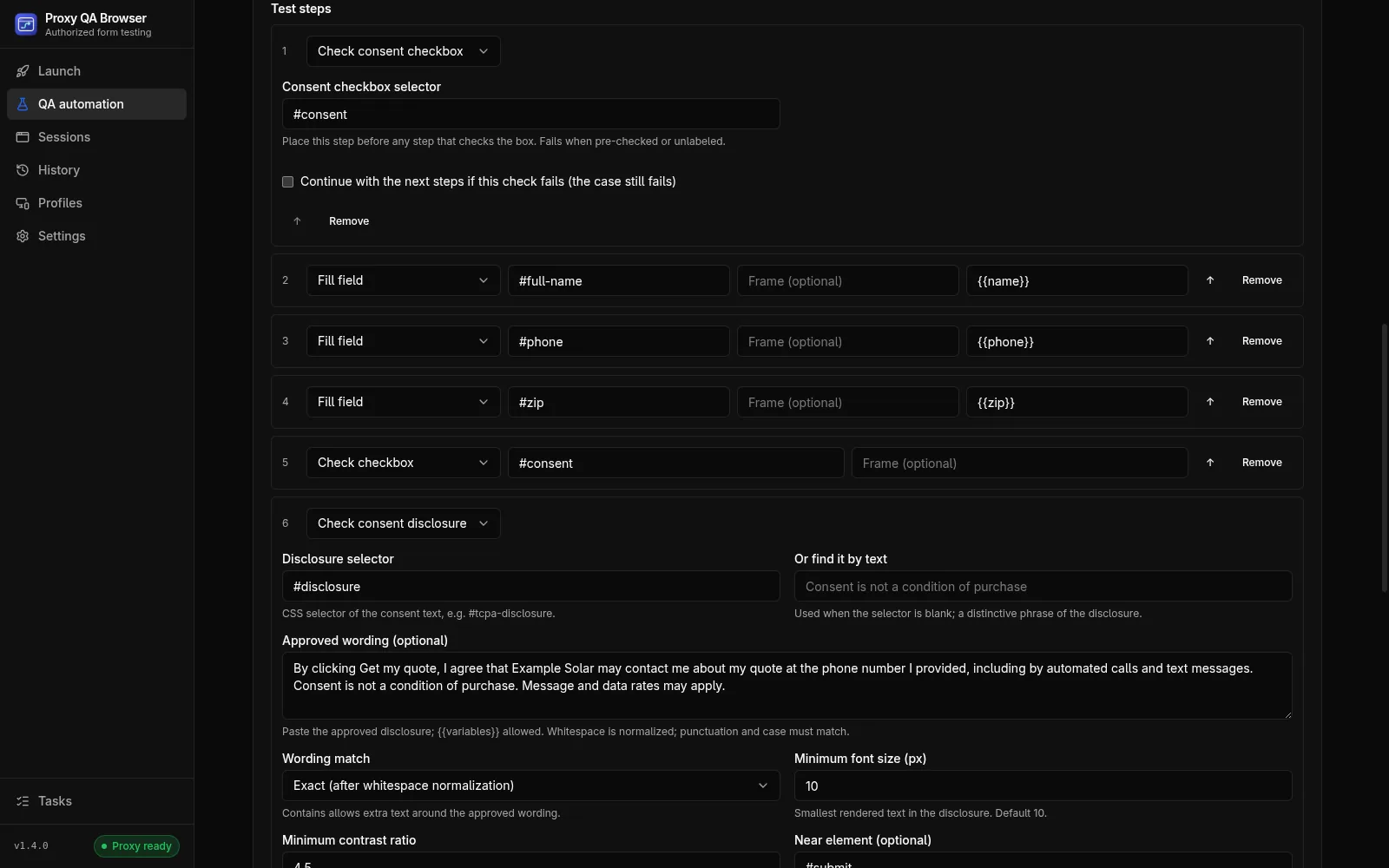
Record actions in a separate browser
Enter a starting URL, choose Record actions and use your test form in a separate visible browser with a temporary profile. Stop recording, review the steps and save.
- Recorded: text inputs, single-select choices, checkbox changes, button and link clicks, and file choices
- Repeated typing in one field becomes one fill step; only real user input is recorded, not events a page script dispatches
- Not recorded: password fields, elements marked data-qa-sensitive, shadow DOM, rich-text editors and drag-and-drop uploads
Add expected results
Assertions turn a recording into a test: assertVisible, assertText, assertUrl, assertStatus for the final HTTP status, and Compare screenshot steps against approved baselines. Consent, accessibility and performance checks run as steps in the same scenario.
Data-driven runs
Use {{variables}} in fill values, selectors and URLs, and add dataset rows by hand or import up to 100 from CSV. Each row runs in a fresh browser context. Run them against your own staging site with synthetic data that your backend tags as test leads; the variables and datasets reference shows the format.
When ids change
Recorded steps keep up to four fallback locators, from a test ID to a role, label or visible text. When the primary selector matches no element, the runner tries them, flags the step as Healed and lets you accept the new selector in one click. Assertions and checks never heal. Read more about self-healing selectors.
Frames, pop-ups and file uploads
Steps can reach elements inside iframes with a frame path, continue in a pop-up with a Switch to page step and upload fixture files stored inside the scenario, so exports and CI manifests stay self-contained.
Suites and environments
Group scenarios into suites and save environments with their own base origin and variables, so the same scenario runs against staging or another origin without editing its steps.
Matrices, retries and schedules
A matrix replays a scenario across up to 10 engines, 20 devices and 20 locations, capped at 100 cases per matrix by default (configurable up to 500). A failed case can be retried up to twice, and schedules repeat a scenario every 5 minutes to 7 days while the app is open. Location cases need your own proxy plan.
Results and exports
Results list each case's status, failed steps, console errors, failed requests and step screenshots. Export JSON, JUnit or HTML, or use Export for CI and run recorded tests in CI with the runner from a clone of the repository, the runner Docker image or the GitHub Action.
Responsible use
Automated runs submit forms for real, and retries repeat the submissions. Run them against staging or test environments you own or are contracted to test, use synthetic data and tag test submissions so they are never treated as real leads.
How it works.
Every step and setting is covered in the documentation linked below.
Read the docsCreate a profile
Save a browser profile with Direct routing or your own proxy provider in Profiles.
Record the flow
In QA automation, create a scenario, enter the starting URL and choose Record actions. Fill in your test form with synthetic data, then stop recording.
Add assertions
Review the recorded steps and add expected results, such as the confirmation text or the final HTTP status.
Run the matrix
Click Run matrix and choose browsers, compatible devices and, optionally, proxy locations.
Review and export
Inspect each case in Results and export JSON, JUnit or HTML, or a manifest for CI.
Common questions.
Are passwords recorded?
No. Password fields and elements marked data-qa-sensitive are never recorded, including in frames and pop-ups. Ordinary text inputs are recorded as entered, so record with synthetic data. Record actions
What happens when a selector breaks?
If the primary selector matches no element, the runner tries the recorded fallbacks and uses one only when it matches exactly one element. The step is flagged as Healed so the change is reviewed. An element that exists but is hidden or disabled is a real failure and never heals. Self-healing modes
Can I replay my recorded tests in CI?
Yes. Export the scenario or suite for CI and run it with the command-line runner from a clone of the repository, the runner Docker image or the GitHub Action. The runner writes JSON, JUnit and HTML reports. Export a manifest
Try it on your own site.
Free and open source, for Windows, Linux and macOS. Use it on sites you own or are contracted to test.