
Test your own geo-blocking and geo-redirect rules by country and US state.
For site owners who need to confirm that their own geo rules work before launch: a blocked region gets the block page, an allowed one gets the form, and a regional redirect lands where it should. It is not for getting around anyone else's restrictions.
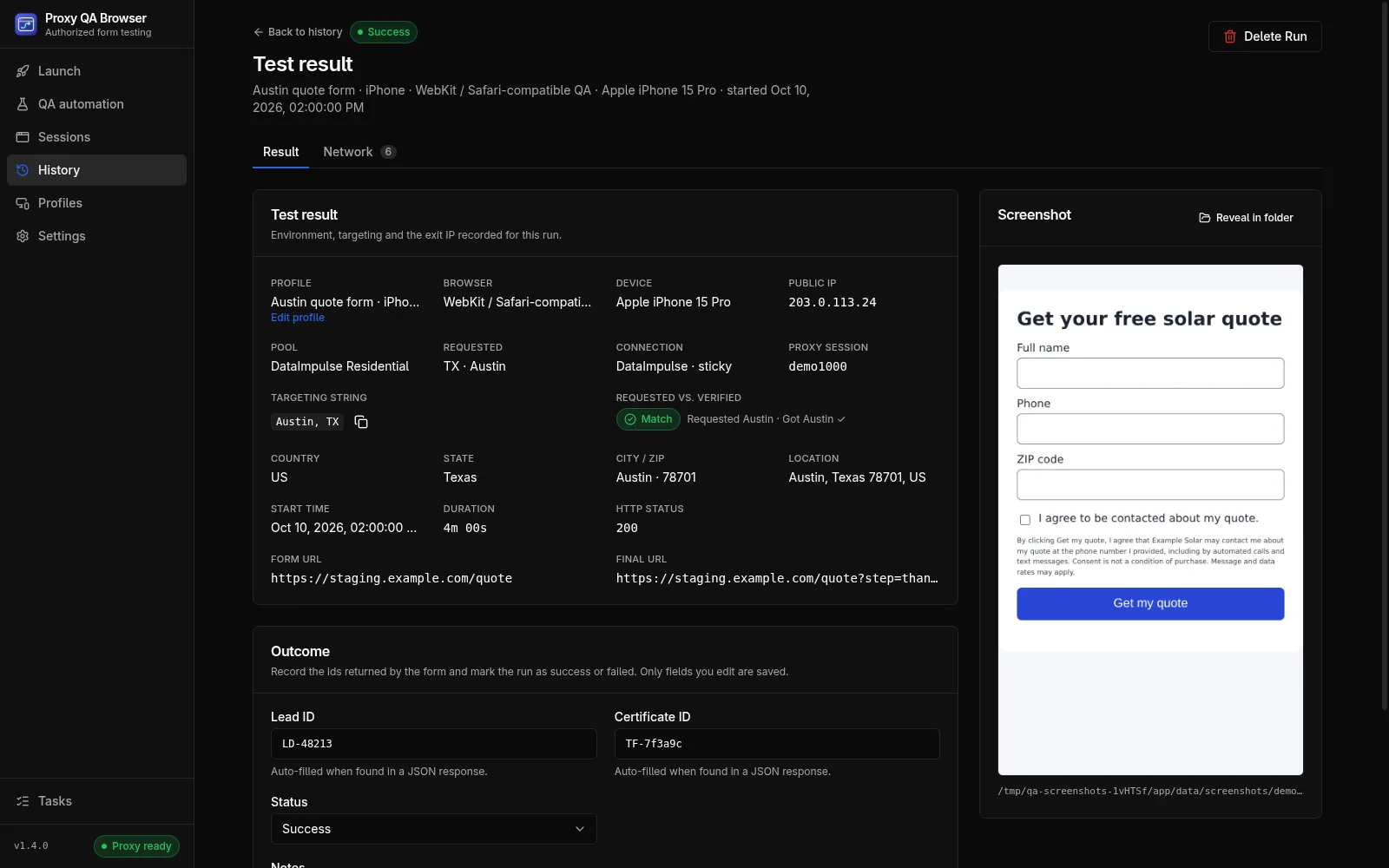
Choose the location
Target a country by its two-letter code, or a US state, city or ZIP code, and the app checks the exit IP's location before the run. The location testing guide shows how to see what visitors in a location get.
Assertion recipes
In QA automation, assert what each market should get. assertStatus checks the final document, so a redirect chain such as /start → 302 → /form asserts 200.
- Blocked region: assertStatus with the status your block returns, for example 403 or 451, and assertText for the block notice
- Allowed region: assertStatus 200 and assertVisible for the form
- Regional redirect: assertUrl with the expected regional path or origin
- One location per market in the matrix, so every case in Results names the market it tested
Redirect hops as evidence
In QA automation, every redirect hop is recorded in the case evidence and in the JSON, HTML and JUnit reports. A manual launch shows the form and final URLs on the Result tab and, with the network inspector on, every request and its status in the Network tab.
- A redirect to another origin is followed only when that regional origin is in the scenario's approved origins; otherwise the hop is blocked before any request reaches it
- A 307 or 308 redirect of a form POST to another origin is blocked, even when both origins are approved
- A 301, 302 or 303 continues as a GET, and a chain stops after 10 redirects
- Turn off Follow redirects within approved sites to block every document redirect
Run every market at once
A matrix runs up to 20 locations, capped at 100 cases per matrix by default (configurable up to 500). Each proxy location case checks the exit IP and requires an exact target match, and location tests on a direct connection are refused before the run. Run it against your own staging site with synthetic data that your backend tags as test leads.
Limits
IP geolocation is a third-party estimate, and your site's geo-IP provider may disagree with the app's lookup service (ip-api, ipinfo or ipwhois). The community-verified providers accept state and ZIP targets only in the United States, and IPRoyal has no ZIP mode. Location tests need your own proxy plan; the app does not sell or include proxies.
How it works.
Every step and setting is covered in the documentation linked below.
Read the docsList your rules
Write down which countries or states should be blocked, allowed or redirected, and what each one should see.
Build the scenario
In QA automation, set the starting URL, add every regional origin your redirects use to the approved origins, and add assertStatus, assertUrl or assertText steps.
Add the locations
Click Run matrix and add one proxy location per market from your own proxy plan.
Run and review
Each case checks its exit IP first. Review the status, redirect hops and screenshots in Results.
Export the evidence
Export the HTML report, which lists redirect hops, for the record, or JUnit for CI.
Common questions.
How do I assert that a region is blocked?
Run the scenario from a location in that region and add assertStatus with the status your block returns, such as 403 or 451, plus assertText for the block notice. assertStatus checks the final document after any redirects. Steps reference
Why was my redirect blocked?
Redirects are followed only while every hop stays on an approved origin, so add the regional origin to the scenario's approved origins. A 307 or 308 redirect of a form POST to another origin is always blocked. How redirects are handled
Can I test geo rules outside the US?
Yes, for country rules: Country targeting accepts any two-letter code. State, city and ZIP rules can be tested only for US targets. Choosing a location
Try it on your own site.
Free and open source, for Windows, Linux and macOS. Use it on sites you own or are contracted to test.